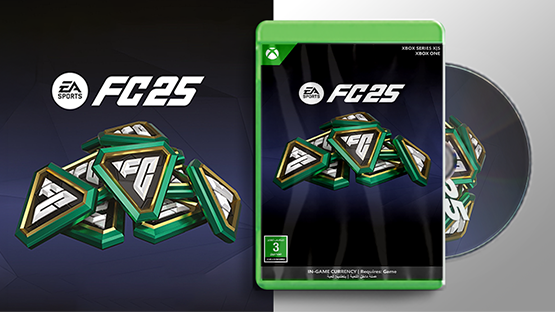
EA SPORTS FC 25 - FC POINTS 18500
How to recharge xbox : Redeem a code on Xbox One, Xbox Series X and Xbox Series S:
1- Sign in to your Xbox console (make sure you’re signed in with the Microsoft account you want to redeem the code with). - From the Home screen, select and open the Store app. (If the Store app is not displayed, go to My games & apps, select Apps, and select the Store app from there.)
3- In the Store app, move the cursor left or press the View button to open the side menu then select redeem.
4- Enter the
25-character code, and then follow the instructions. Redeem a code Using an Android or IOS mobile device:
1- Go to the link: https://redeem.microsoft.com. - Enter the
25-character code, and then follow the instructions. Redeem a code on Windows 10/11:
1-Sign in to your Windows device (make sure you’re signed in with the Microsoft account you want to redeem the code with). -Press the Start button, type store, then select Microsoft Store.
3-Select More … > Redeem a code.
4-Enter the
25-character code, and then follow the instructions.
1- Sign in to your Xbox console (make sure you’re signed in with the Microsoft account you want to redeem the code with). - From the Home screen, select and open the Store app. (If the Store app is not displayed, go to My games & apps, select Apps, and select the Store app from there.)
3- In the Store app, move the cursor left or press the View button to open the side menu then select redeem.
4- Enter the
25-character code, and then follow the instructions. Redeem a code Using an Android or IOS mobile device:
1- Go to the link: https://redeem.microsoft.com. - Enter the
25-character code, and then follow the instructions. Redeem a code on Windows 10/11:
1-Sign in to your Windows device (make sure you’re signed in with the Microsoft account you want to redeem the code with). -Press the Start button, type store, then select Microsoft Store.
3-Select More … > Redeem a code.
4-Enter the
25-character code, and then follow the instructions.
Steps to use
How to recharge xbox : Redeem a code on Xbox One, Xbox Series X and Xbox Series S:
1- Sign in to your Xbox console (make sure you’re signed in with the Microsoft account you want to redeem the code with). - From the Home screen, select and open the Store app. (If the Store app is not displayed, go to My games & apps, select Apps, and select the Store app from there.)
3- In the Store app, move the cursor left or press the View button to open the side menu then select redeem.
4- Enter the
25-character code, and then follow the instructions. Redeem a code Using an Android or IOS mobile device:
1- Go to the link: https://redeem.microsoft.com. - Enter the
25-character code, and then follow the instructions. Redeem a code on Windows 10/11:
1-Sign in to your Windows device (make sure you’re signed in with the Microsoft account you want to redeem the code with). -Press the Start button, type store, then select Microsoft Store.
3-Select More … > Redeem a code.
4-Enter the
25-character code, and then follow the instructions.
1- Sign in to your Xbox console (make sure you’re signed in with the Microsoft account you want to redeem the code with). - From the Home screen, select and open the Store app. (If the Store app is not displayed, go to My games & apps, select Apps, and select the Store app from there.)
3- In the Store app, move the cursor left or press the View button to open the side menu then select redeem.
4- Enter the
25-character code, and then follow the instructions. Redeem a code Using an Android or IOS mobile device:
1- Go to the link: https://redeem.microsoft.com. - Enter the
25-character code, and then follow the instructions. Redeem a code on Windows 10/11:
1-Sign in to your Windows device (make sure you’re signed in with the Microsoft account you want to redeem the code with). -Press the Start button, type store, then select Microsoft Store.
3-Select More … > Redeem a code.
4-Enter the
25-character code, and then follow the instructions.
Terms and Conditions
How to recharge xbox : Redeem a code on Xbox One, Xbox Series X and Xbox Series S:
1- Sign in to your Xbox console (make sure you’re signed in with the Microsoft account you want to redeem the code with). - From the Home screen, select and open the Store app. (If the Store app is not displayed, go to My games & apps, select Apps, and select the Store app from there.)
3- In the Store app, move the cursor left or press the View button to open the side menu then select redeem.
4- Enter the
25-character code, and then follow the instructions. Redeem a code Using an Android or IOS mobile device:
1- Go to the link: https://redeem.microsoft.com. - Enter the
25-character code, and then follow the instructions. Redeem a code on Windows 10/11:
1-Sign in to your Windows device (make sure you’re signed in with the Microsoft account you want to redeem the code with). -Press the Start button, type store, then select Microsoft Store.
3-Select More … > Redeem a code.
4-Enter the
25-character code, and then follow the instructions.
1- Sign in to your Xbox console (make sure you’re signed in with the Microsoft account you want to redeem the code with). - From the Home screen, select and open the Store app. (If the Store app is not displayed, go to My games & apps, select Apps, and select the Store app from there.)
3- In the Store app, move the cursor left or press the View button to open the side menu then select redeem.
4- Enter the
25-character code, and then follow the instructions. Redeem a code Using an Android or IOS mobile device:
1- Go to the link: https://redeem.microsoft.com. - Enter the
25-character code, and then follow the instructions. Redeem a code on Windows 10/11:
1-Sign in to your Windows device (make sure you’re signed in with the Microsoft account you want to redeem the code with). -Press the Start button, type store, then select Microsoft Store.
3-Select More … > Redeem a code.
4-Enter the
25-character code, and then follow the instructions.